Axis Bank / Freecharge · 2023–2025
Connecting everyday business work with banking.
- ROLE
- Product Designer
- TEAM
- 2 PMs · 2 Designers · 8 Engineers
- DURATION
- 2023–2025
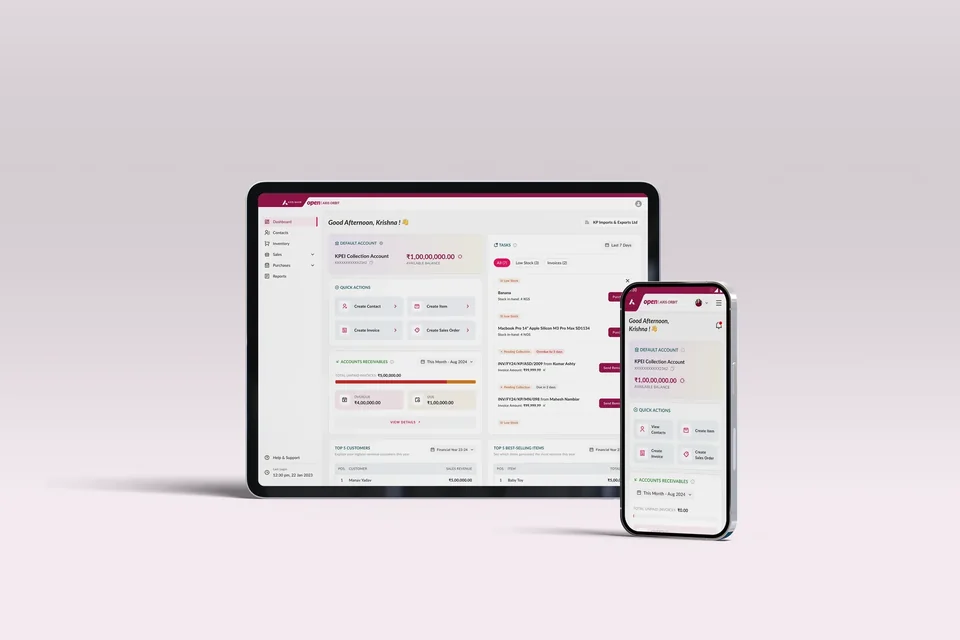
Axis Orbit is a business-management platform within Axis Bank’s Neo for Corporates. I worked on the product from its beginning through Phase 1 rollout, actively designing the experience under a senior designer’s guidance.
Business context
One business workflow was spread across disconnected tools.
Axis Orbit began with a practical constraint. The initial onboarding of catering businesses depended on an external vendor, making cross-product integration and timely updates difficult. Building in-house created an opportunity to connect business operations with the banking services already available through Neo for Corporates.
For business owners, the challenge was broader than onboarding. Contacts, stock, orders, invoices, and payments needed to work together. The design had to make that connected workflow understandable to people moving from existing tools.
A workspace within the banking context
The product context places business operations alongside the banking relationship.
Owner insights
Owners needed a clearer next action.
The research team studied small and medium business owners and managers who held an Axis Bank current account. Their findings surfaced four recurring difficulties: switching between platforms, deciding what to focus on, overlooking tasks, and repeatedly entering information. I used those findings alongside a competitor study of Zoho Books, QuickBooks, Wave, and Khatabook to inform the designs.
The competitor study showed the appeal of automation and extensive tools, alongside learning barriers and gaps in banking and payment services. These findings framed the design around useful information, familiar journeys, and less manual effort.
What the competitor study contributed
The comparison gives context to the research themes above: useful tools need to remain understandable and connected to banking tasks.

Product choices
Connect the work through three focused choices.
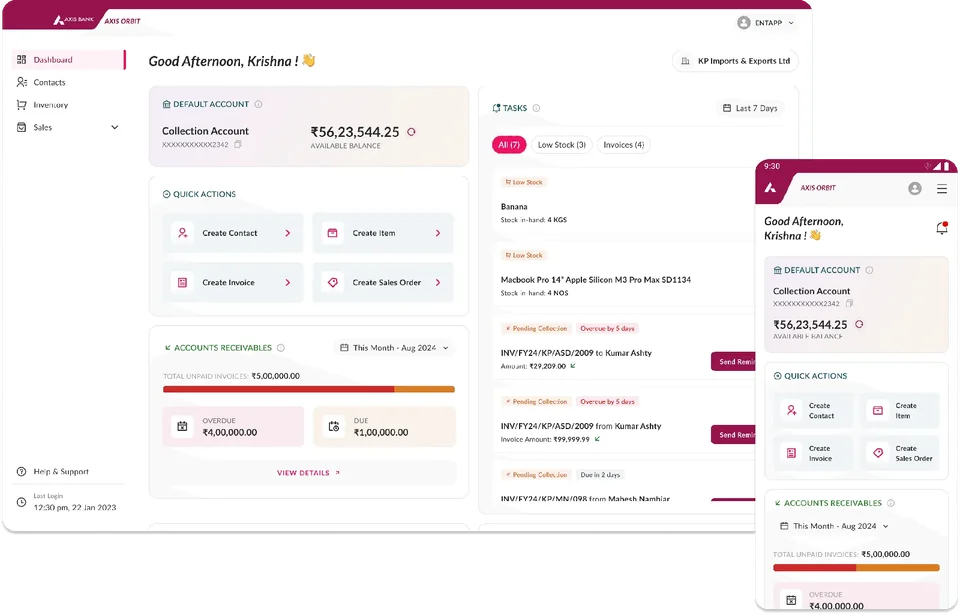
Put tasks beside the business overview.
The dashboard combines balances and receivables with quick actions, tasks, and reminders. This puts an overview of the business beside ways to act on it.
This responds to the difficulty of deciding what matters and remembering upcoming work. The dashboard brings those tasks into the daily overview instead of requiring owners to find them across separate modules.
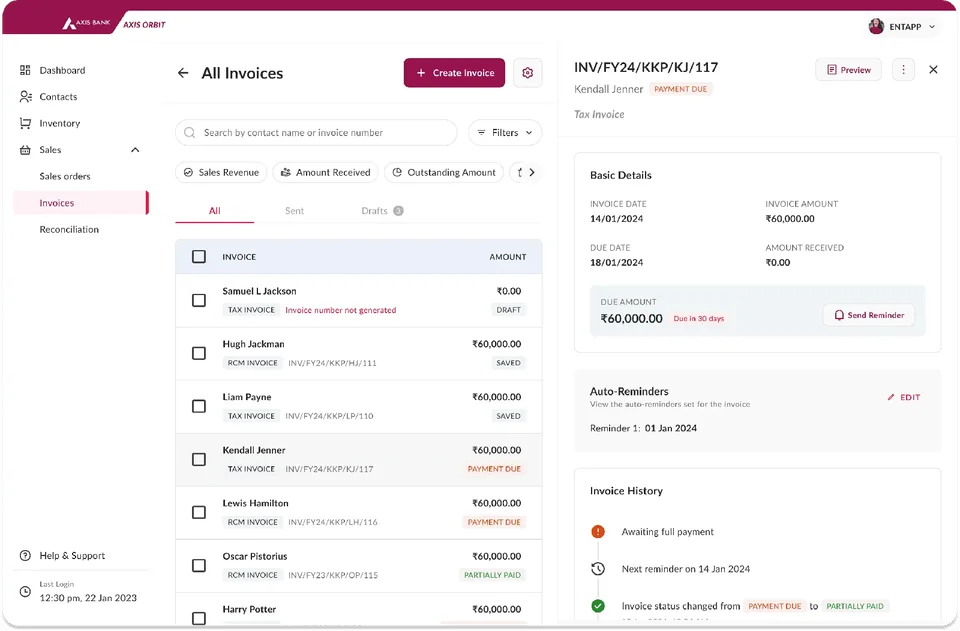
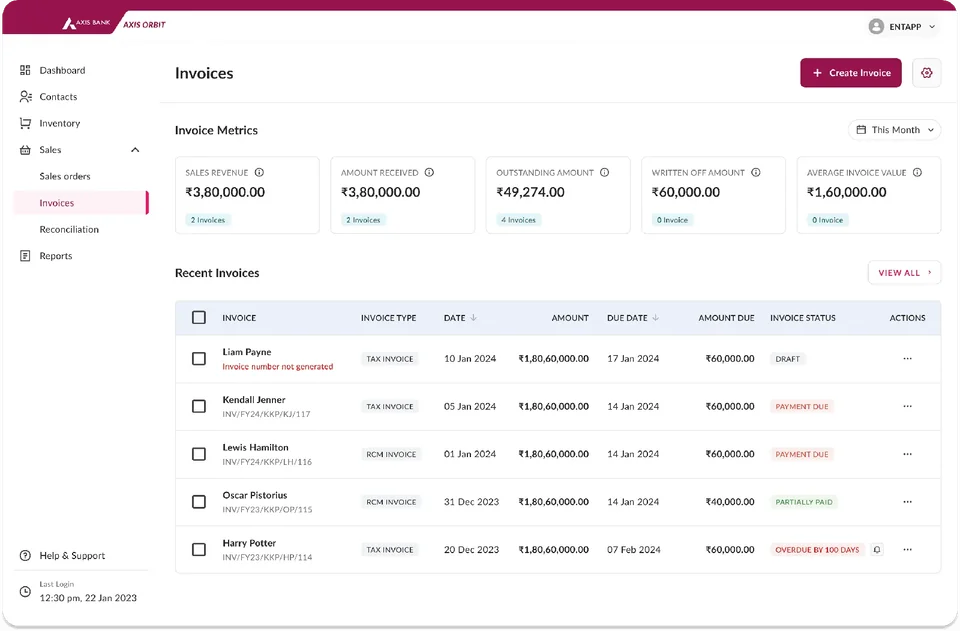
Keep invoice detail beside the invoice list.
The invoice experience uses a split view, keeping the list available while a selected invoice shows dates, reminders, payments, and activity.
The selected record stays within the context of the list. This gives an owner a way to inspect an invoice while keeping the surrounding records in view.
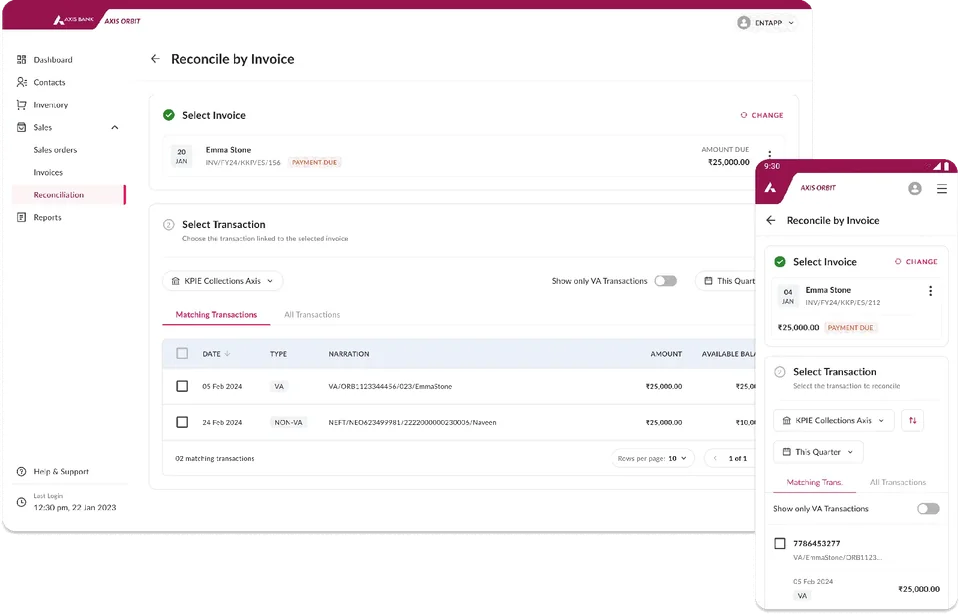
Complete the workflow with payment matching.
Reconciliation connects received payments with the invoices they belong to. Owners can begin with either the payment or the invoice.
This connects creating records with keeping them consistent. The design intention is accurate tracking; an improvement in accuracy or time would need evaluation evidence.
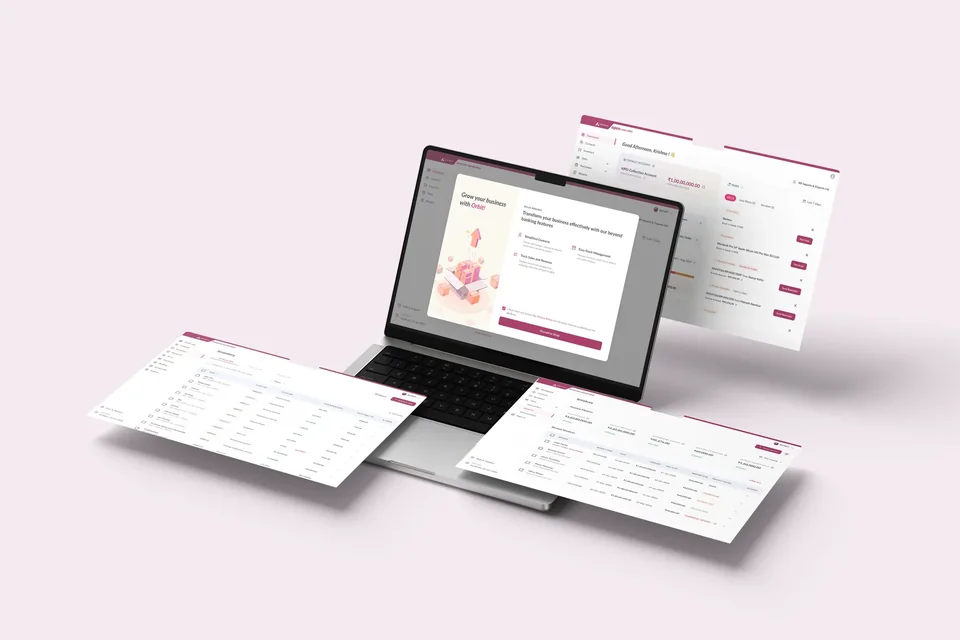
Explore the invoice overview
The invoice dashboard provides another level of context before opening an individual record.
Order to payment
Follow an order through to payment.
The product becomes easier to understand through one transaction. Contacts identify the customer or vendor, and inventory supplies the items used in the order. Those foundations then support the financial workflow.
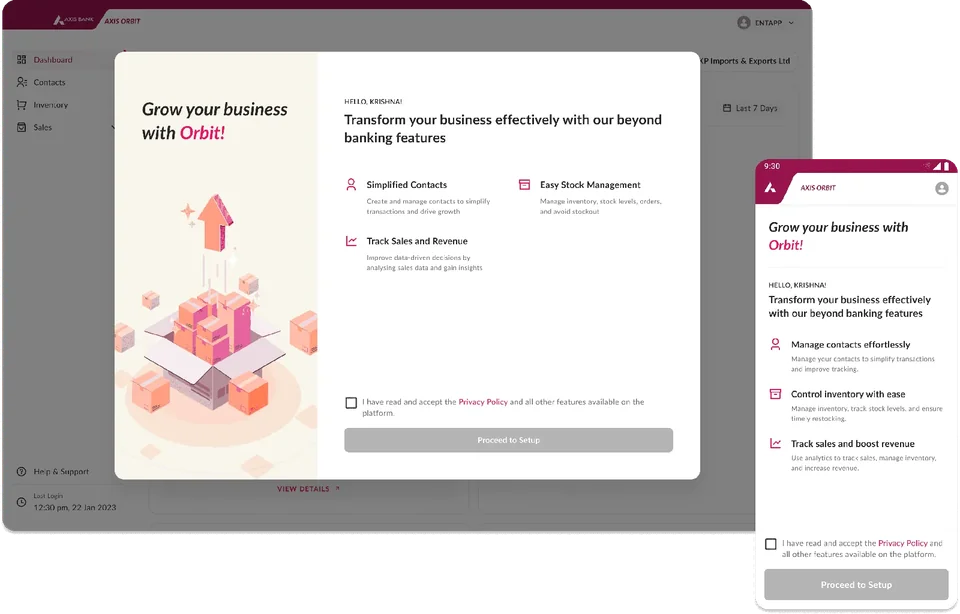
Entering the workspace
Onboarding is the entry point to the transaction journey shown below.
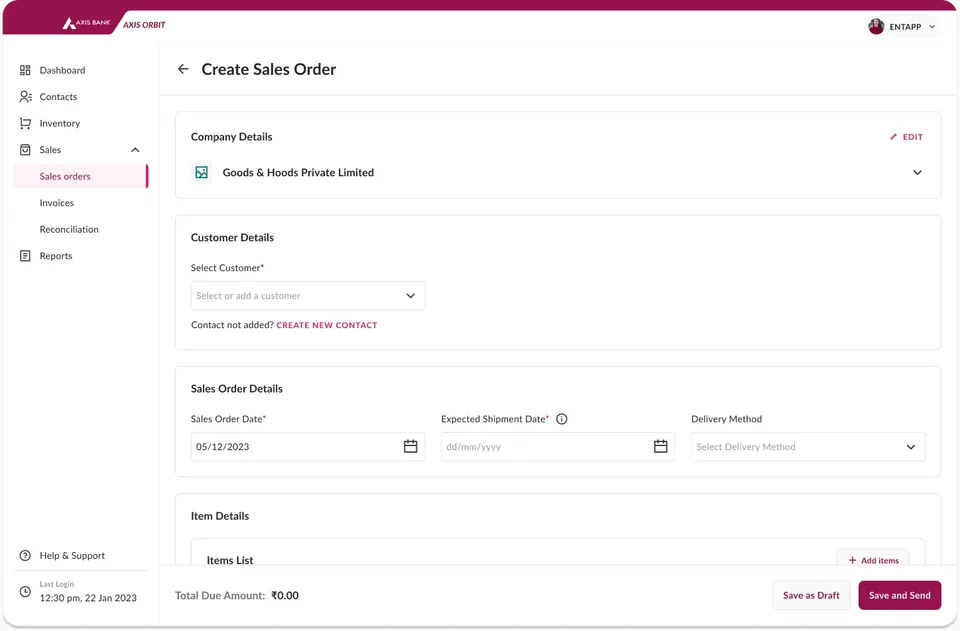
Create the sales order.
The sales-order form brings company details, customer information, dates, and items together. Existing records provide the context for the transaction.
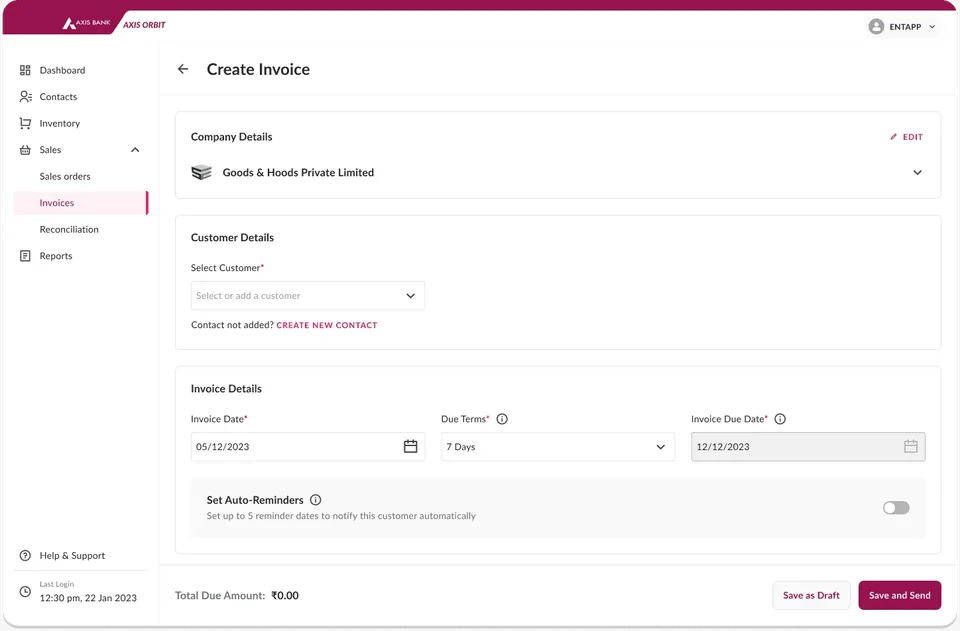
Create and follow the invoice.
The invoice flow supports choosing a customer, setting a due date, and configuring reminders. Owners can then move from an overview of invoices into a specific record and its activity.
Match the payment.
Once a payment arrives, reconciliation associates the received amount with the right invoice. This connects the business activity with its financial record.
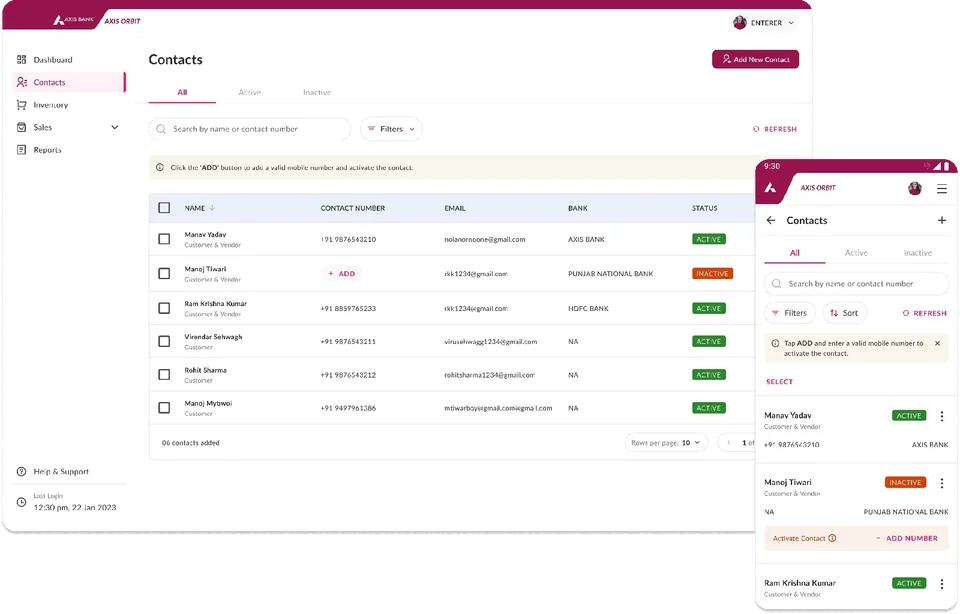
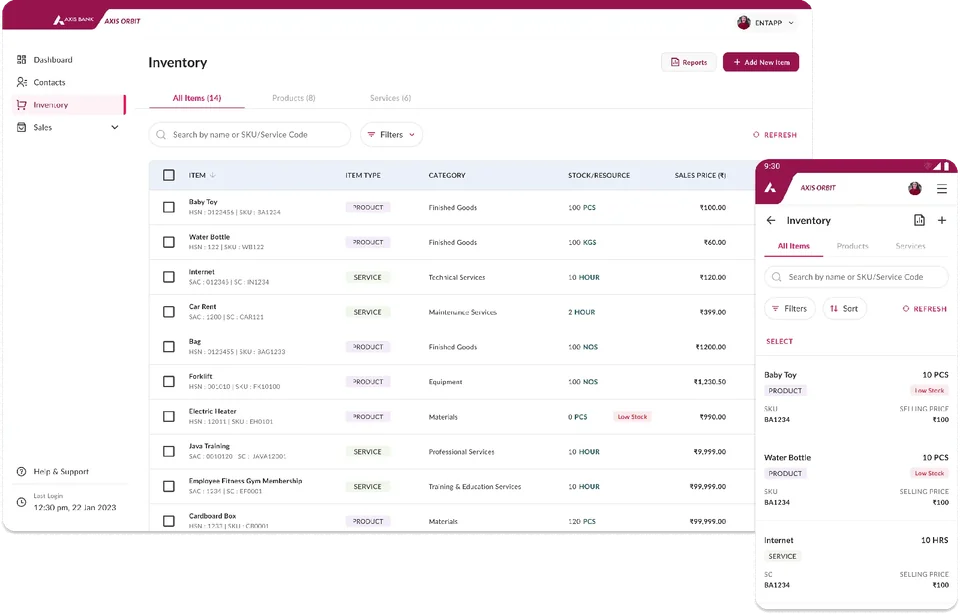
Explore the customer and inventory foundations
These supporting modules supply the people and items used in orders and invoices.
Phase 1 rollout
The project reached Phase 1 rollout.
I actively worked on the designs from the start through Phase 1 rollout, guided and managed by a senior designer. Our team included two product managers, two designers, and eight engineers, with development organised into module-wise, two-week sprints. The Phase 1 modules cover onboarding, the dashboard, contacts, inventory, sales orders, invoicing, and reconciliation.
Usability testing was identified as a next step, with payments integration a later milestone. The outcome described here is the Phase 1 rollout and the designed modules.
What I learned
A connected product also needed connected delivery.
This was my first professional project. Working with designers, developers, and product managers taught me to adapt to changing directions, understand technical constraints, and document decisions for handoff.
The next useful test would follow the complete transaction, checking where owners lose context between orders, invoices, and payment matching. That would test the promise of a connected workspace at the level of a real task.